Disable one setting in Phantom Blade Zero and get a noticeable performance boost
Translated with AI from the Russian original.
Phantom Blade Zero can run nearly 40% faster without any noticeable loss in graphical quality: Wccftech experts tested the settings and figured out which parameters can be lowered from Ultra.
Wccftech journalists tested the performance of the PC version of Phantom Blade Zero and highlighted settings that have virtually no impact on visual quality when lowered.
First and foremost, it is recommended to reduce shadow quality, lighting, effects, materials, draw distance, and environment detail. The most noticeable result comes from disabling the “High-Quality Hair” option for characters.
At the same time, reflection quality, Ambient Occlusion, character textures and models, as well as environment models are best left on Ultra: lowering these parameters does not provide a tangible performance boost.
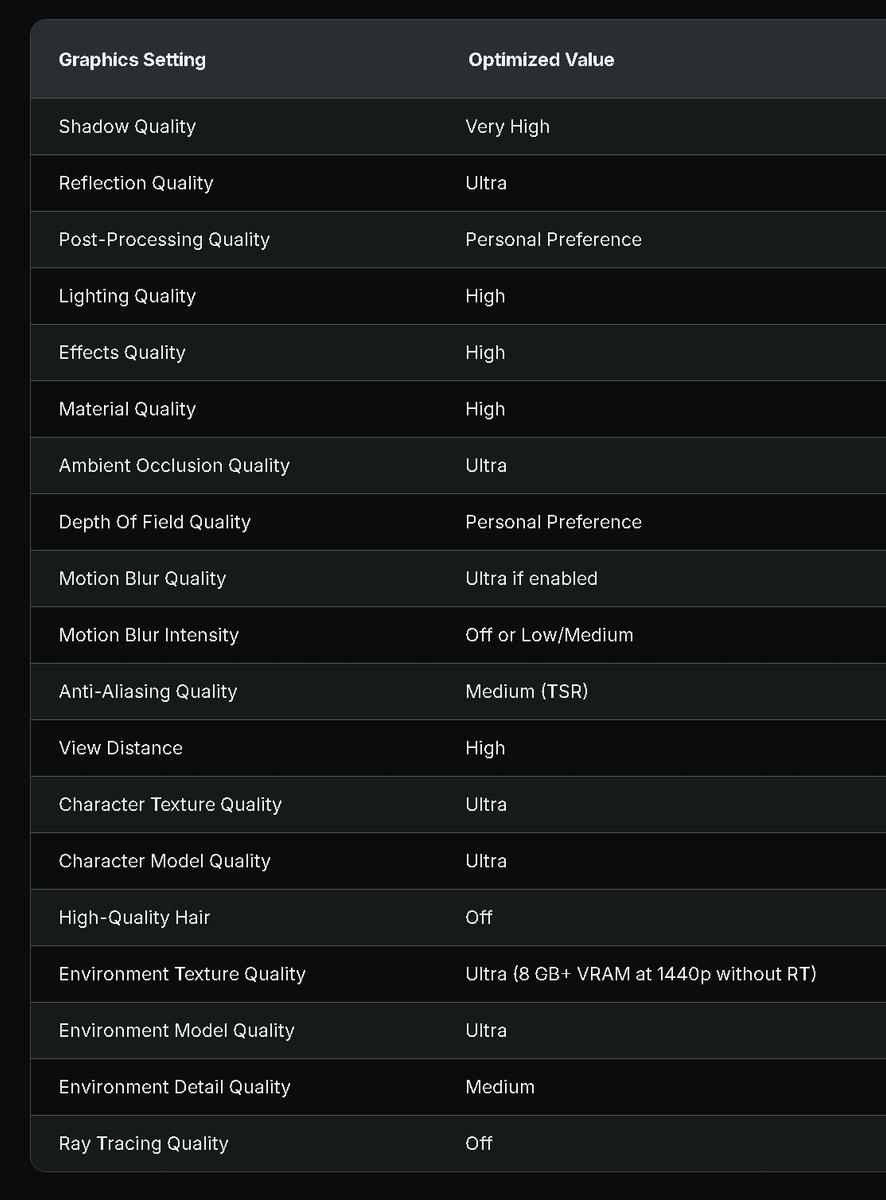
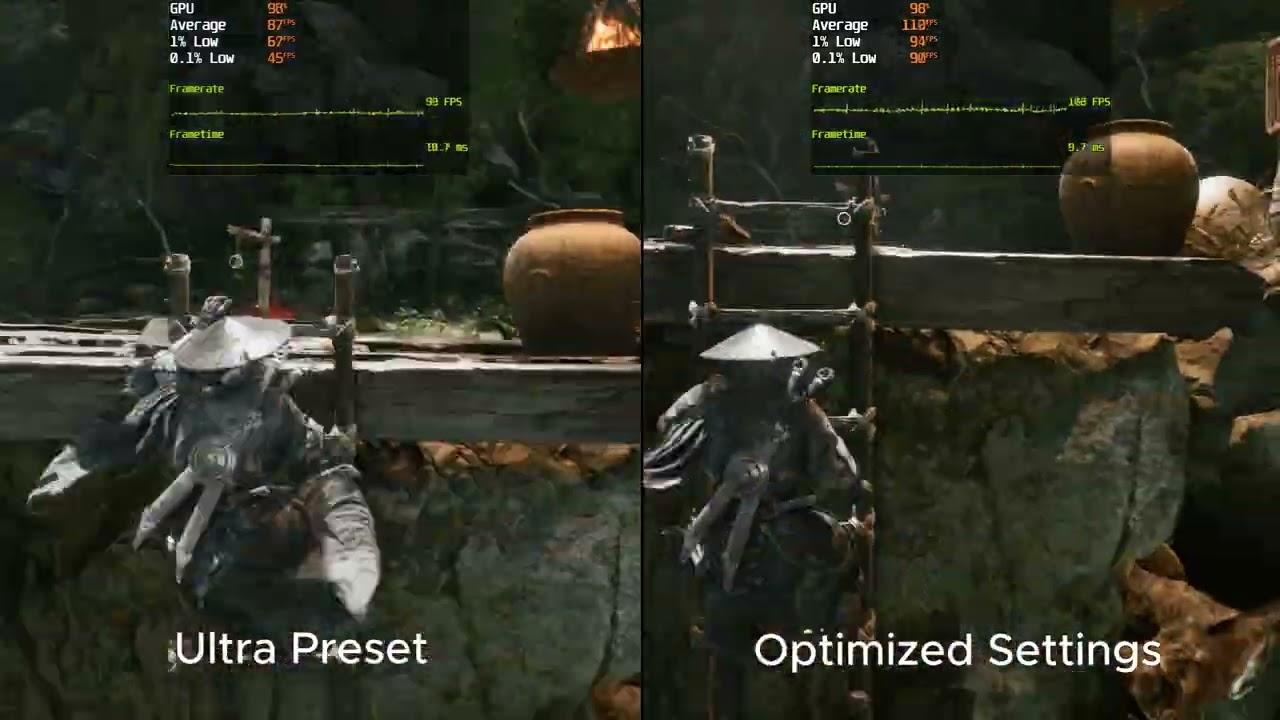
According to the test results, Wccftech’s optimized settings deliver nearly 40% more frames per second compared to the Ultra preset at 1440p resolution.
Never miss our newsAdd this site to your preferred sources to see us more oftenAdd on Google