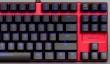
The SpeedLink brand offers many products for gamers — from mouse pads to chairs, but currently, there is only one keyboard in its catalog — the SpeedLink Ultor.
This solution features a traditional design, is equipped with mechanical switches, has LED backlighting, and proprietary software for additional functions.
SpeedLink Ultor Specifications
- Connection: Wired, USB 2.0, up to 1000 Hz
- Switch type: Mechanical, non-clicky, Kaihua Kailh Red
- Number of keys: 87
- Number of simultaneous presses: Unlimited
- Additional features: Response time adjustment, macro support, key remapping, Win key disable, profiles, settings stored in keyboard memory
- Backlighting: Two-color, multiple modes
- Body material: Aluminum and plastic
- Dimensions (W×D×H): 350×123×36 mm
- Weight: 680 grams (with cable)
- Official website
- Recommended retail price: 6370 rubles
Package Contents
The model comes in a colorfully designed small cardboard box. The colors chosen are traditional for the company and the gaming segment — a combination of red and black.
There are perhaps even too many different logos. There are several sentences describing the product in Russian.
The keyboard comes with only a couple of multilingual leaflets. To implement some of the declared special functions, you will need to download and install the proprietary software. Also, on the website in the downloads section, there is its description, but there is no electronic version of the bundled documentation, which, in particular, provides the keyboard shortcuts used.
Design
This model uses a simple traditional design without a numeric keypad and additional buttons. It can even be called concise or strict. The external dimensions practically correspond to the key field — 350×122 mm. So the keyboard will not take up much space on the desk.
On the bottom, which is made of black matte plastic, there are five rubber feet that hold the keyboard in place.
The two rear feet can be folded out, allowing this part to be raised by approximately six millimeters in addition to the eight-millimeter lift provided by the main body between the front and rear edges of the device.
The upper part of the case is made of aluminum and is red. The model does not have additional protection against liquid spills. The case mounting screws are hidden behind the keys and do not spoil the appearance. The only additional decorative element is the brand name of the manufacturer in the only free space above the cursor control block.
The keys themselves are of standard size and shape. The Enter key in this model is “narrow”. The keycaps are made of white matte translucent plastic, painted black on top. The markings on the keys are formed by the absence of paint. Without backlighting, they are also visible as gray inscriptions.
At the same time, the English alphabet is quite large, located in the upper part of the buttons, right near the LEDs. The Russian alphabet is noticeably smaller and located lower and to the right. The font matches the overall style of the keyboard.
The backlighting is not very uniform, especially the symbols located in the bottom row on the numeric keys have “suffered”. But overall, it can be considered that all markings are quite distinguishable. Note that there are enough LEDs to illuminate the gaps between the buttons, so the keyboard looks quite interesting in the dark.
The cursor control keys and WASD additionally have square icons with beveled corners, which, combined with white backlighting, allows them to stand out noticeably.
The backlighting of the Caps Lock and Scrl Lock keys is used to indicate the activity of the corresponding modes. However, there is no provision for disabling the Win key indicator when it is locked.
The interface cable is non-removable and does not allow choosing the exit point from the keyboard. However, the option offered by the manufacturer will suit most users. The cable length is 1.8 m, the USB plug is compact, and its metal parts have a yellow coating. A filter is installed on the cable ten centimeters from the plug.
The cable itself is quite stiff and thick. It has a red and black braided sleeve.
Additional Features and Backlighting
Even without installing a driver, you can use some keyboard shortcuts to change the device's operating modes and parameters. In particular, Fn+F1/F2/F3/F4 changes the USB port polling rate to 125/250/500/1000 Hz. The other function keys in the top row, combined with Fn, work to control the media player and volume.
Fn+Print Screen/Gaming switches the mode — normal office work or games. The LED in the key shows the current option. In the second case, the following changes occur (note that some require driver installation): the Win key is disabled, the block of six buttons above the cursor keys switches to macro command mode, and changing the position of WASD and cursor keys is allowed (Fn+Win).
The model is equipped with backlighting, which should be considered single-color, although in reality, two-color LEDs are used. They are located under each key. Most use blue, while some keys (WASD, arrows, and Print Screen) use white. The Fn+SctlLock combination is used to control the backlighting. The manufacturer does not provide a description of the modes. Testing showed that several options with constant brightness, complete shutdown, and a blinking mode are implemented. The maximum consumption is about 160 mA.
Software
The company offers a proprietary utility for managing profiles, macros, and other keyboard settings. It is designed for Windows operating systems and has only an English interface (or rather, other European languages are also available). For most of the target audience, this is not a problem.
Profiles can be written directly to the chip located inside the keyboard (this process is quite long), but for them to work on another computer, the same software will need to be installed on it.
In addition, profiles can be written to files (a simple text format is used) and imported from files, which removes the limitation on the number of profiles.
The solution supports automatic profile activation when the application specified in its settings is launched. Unfortunately, there is no indication of the active profile, and we did not find any information about the possibility of manual switching in the documentation.
On the main page “Main Keys”, for each profile, there is a function to change the value of the keys in the main keyboard block, including modifiers and cursor keys, but without function keys.
There is a separate window for editing macro commands. In the first column, you specify the name you invented for the command. In the second — the key combination itself, in the third there are items for recording a macro from the keyboard and for setting the number of cyclic repetitions. Note that you can either type the list manually or “play” it from the keyboard. In addition, we draw attention to the fact that both key presses and releases are taken into account as separate events, and there is also the possibility of taking into account pauses between them. The total number of such combinations can reach 32. Each entry provides up to 20 press/release events and pause durations (without considering looping).
Further on the “Macros” page in the right part of the window, you can assign the created combination entries to specific keys M1..M6. In addition to combos, you can assign media player control functions, Windows keys, and regular buttons (including with modifiers).
In addition to button replacement and macros, the profile also takes into account the following parameters, specified on the “Advanced” page: USB port polling rate, Win button activity, response time, and backlight brightness.
Practice
The keyboard uses Kaihua Kailh mechanical switches with a red button. This manufacturer has proven itself well in the gaming product segment. Its solutions are found in many popular brands.
As for the switches used in the keyboard under consideration, they are characterized by a linear press characteristic and a complete absence of the click typical of many mechanical models. In practice, only the sound of the stem hitting at the moment of full press will be heard, and it is, of course, louder than membrane keyboards.
The actuation force for the switch is stated to be 50 cN. The total travel is about four millimeters. Actuation occurs after approximately two millimeters. The microswitch specifications indicate a resource of 50 million actuations, although, of course, it will be difficult to evaluate this in practice.
The gaming scenario was tested in World of Tanks, Call of Duty: Infinite Warfare, Battlefield Hardline, Watch Dogs 2, Street Fighter V. The switches used do not have the most characteristic mechanical behavior and can hardly be called universal. You will have to determine for yourself how well they suit you. In our opinion, apart from the option of a conscious choice of these particular switches, they are quite suitable for non-professional use or as a transitional stage from membrane to something more serious.
Diagnosis
Despite its positioning, the SpeedLink Ultor keyboard can be considered universal and suitable for typing texts and working with documents. Of course, it would look strange in an accounting department, but at home, a quiet mechanical keyboard with a soft stroke and backlit keys can be in demand.
The model's design is simple and compact. However, this required sacrificing the additional numeric keypad. The mechanical switches used promise a long service life even under high load.
Pro:
- Compact size
- Strict classic design
- Quiet mechanics
- Backlighting
Contra:
- Lack of indication for the selected profile
- Lack of detailed driver documentation