
New NVIDIA driver broke Cyberpunk 2077. A solution that must be installed manually has been published
Translated with AI from the Russian original.
The new NVIDIA driver has brought new issues to Cyberpunk 2077 fans. NVIDIA has offered a temporary workaround
It recently became known that the new NVIDIA 522.25 driver broke Cyberpunk 2077. Players have started to complain about technical issues quite frequently.
NVIDIA responded. For now, they have offered a temporary workaround.
You will need the NVIDIA GeForce 3D Profile Manager software. You need to open the application, click the “Export SLI Profiles” button, and save the file.
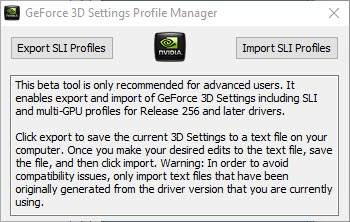
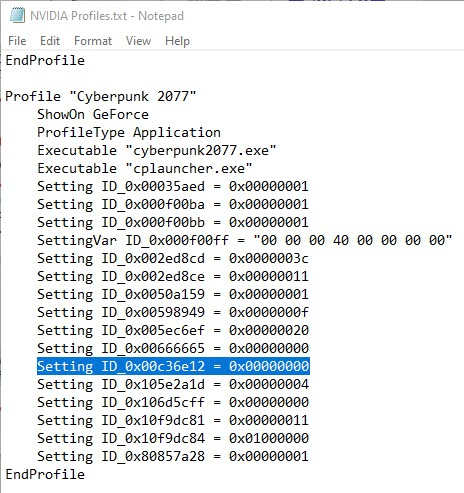
Then open it with a text editor and locate the section containing “Cyberpunk”. Here you need to add the following line: “Setting ID_0x00c36e12 = 0x00000000”, as shown in the example below.
Then, in NVIDIA GeForce 3D Profile Manager, click the “Import SLI Profiles” button and import the file resulting from the previous steps.
NVIDIA has not specified when a full fix will be released.
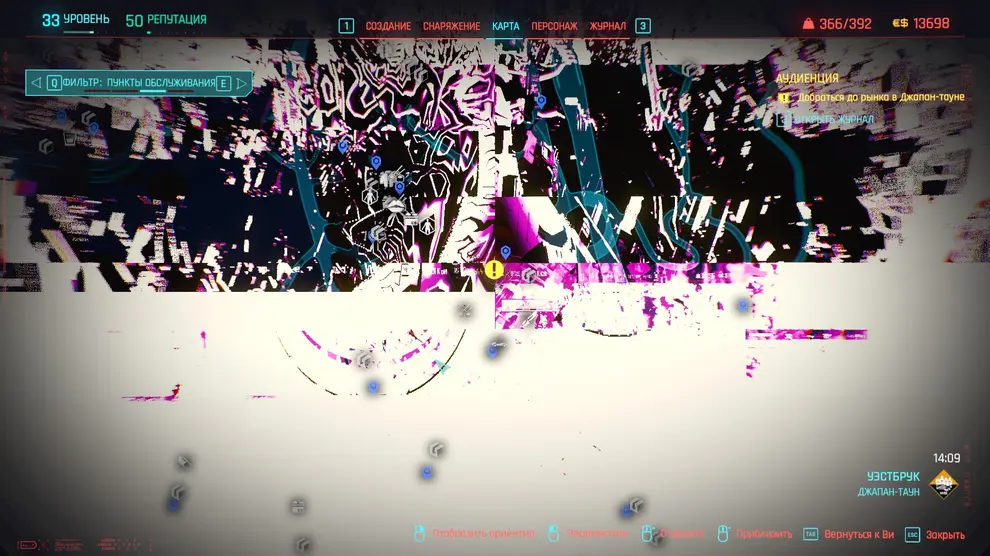
Currently, you might run into something like this in Cyberpunk 2077 if you are using NVIDIA driver 522.25.
Never miss our newsAdd this site to your preferred sources to see us more oftenAdd on Google