Tesoro Excalibur: Mechanical Gaming Keyboard with Backlight and Built-in Memory in a Classic Design
Translated with AI from the Russian original.
Among traditional mechanical keyboards with backlighting, the Tesoro Excalibur has few competitors, so this model will definitely find its buyers.
Every tradition lives by interpretation.
Paul Ricoeur
Mechanical keyboards with backlighting presented on the domestic market typically feature various design refinements. Meanwhile, classic models still have their audience. However, the choice for its representatives is modest and limited to literally single devices, such as Cooler Master Quick Fire Ultimate.
The products of Tesoro Technology USA Inc., which has formed an impressive range of gaming peripherals since 2011, did not quite align with traditional notions of rectangular mechanical keyboards without frills: even Tesoro Durandal Ultimate does not fit this definition, not to mention Tesoro Tizona/Tesoro Tizona Numpad and Tesoro Lobera Supreme.
Nevertheless, one such model called Tesoro Excalibur is present in the manufacturer's lineup, and we will review it further in the text.
Package Contents
The company produces products with names of historical or mythological cold weapons; King Arthur's sword is so often mentioned in popular literary and cinematic works that it hardly needs additional historical commentary.
Unlike other models supplied in trapezoidal boxes with carrying handles and polyurethane foam inserts, the Tesoro Excalibur is packaged in a regular box sized for the keyboard, with a description of the device's main features in various languages, including Russian.
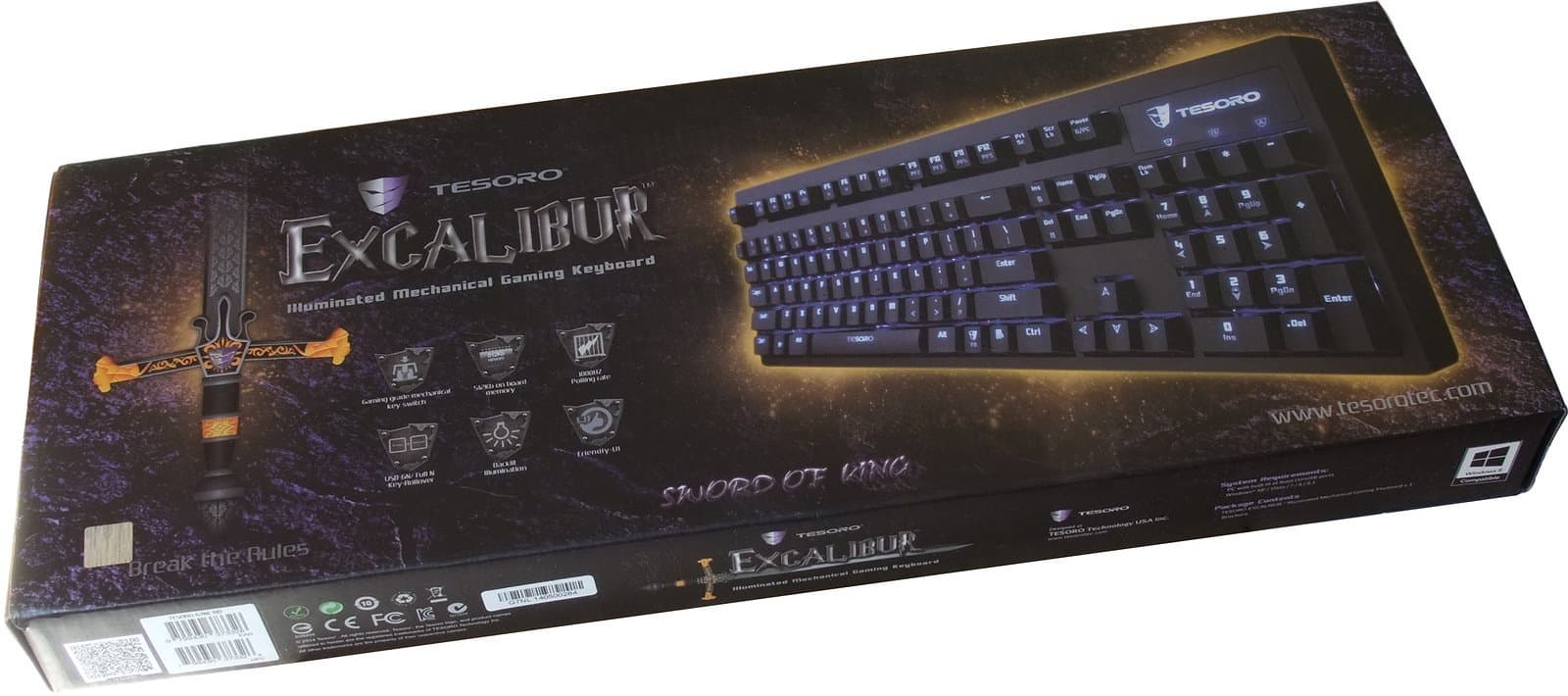
The package contents are extremely concise and include only the keyboard.
The back of the box serves as a quick guide with a description of the main button combinations, and one of the side panels provides links to the manufacturer's website for downloading drivers and software.
Design and Specifications
The manufacturer states the following specifications for Tesoro Tizona:
- Polling rate — 1000 Hz,
- Button lifespan — 50 million keystrokes,
- Support for simultaneous pressing of 6 keys (6-NKey) and any number of keys (Full-NKey rollover),
- 512 KB of built-in memory,
- 5 user profiles,
- Up to 300 user combinations per 5 profiles,
- Up to 2000 recorded keystrokes for each profile,
- Fully programmable keys,
- Multimedia keys,
- Non-slip rubberized stands for increasing tilt angle,
- 1.55 m interface cable,
- Dimensions 450×145×24 mm,
- Weight: 1.4 kg.
Tesoro Excalibur does without the status attributes of gaming peripherals — braided cable and gold-plated interface connector, which do not affect the use of the device.
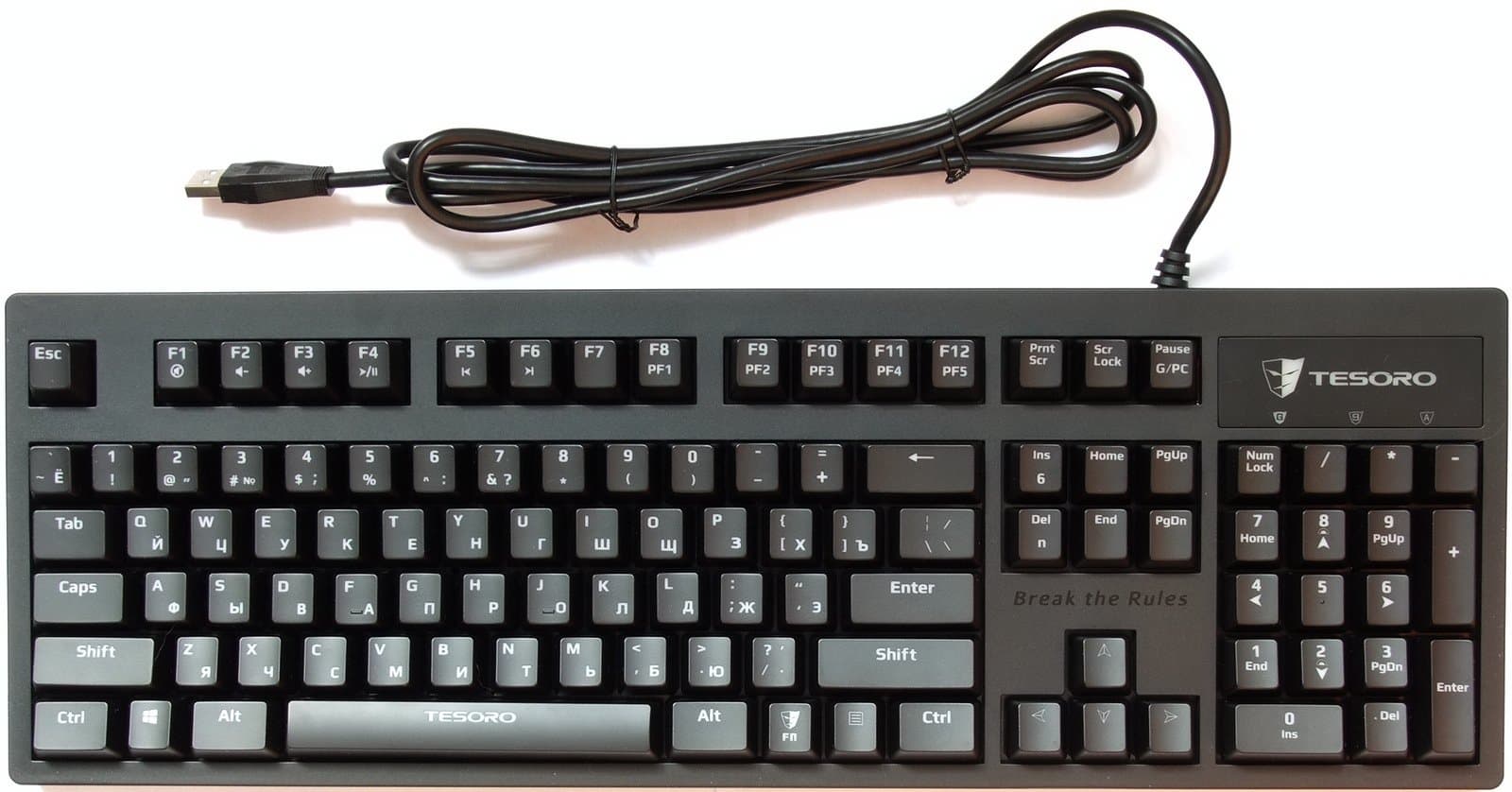
Outwardly, the Tesoro Excalibur is an ordinary rectangular keyboard without a wrist rest or additional buttons.
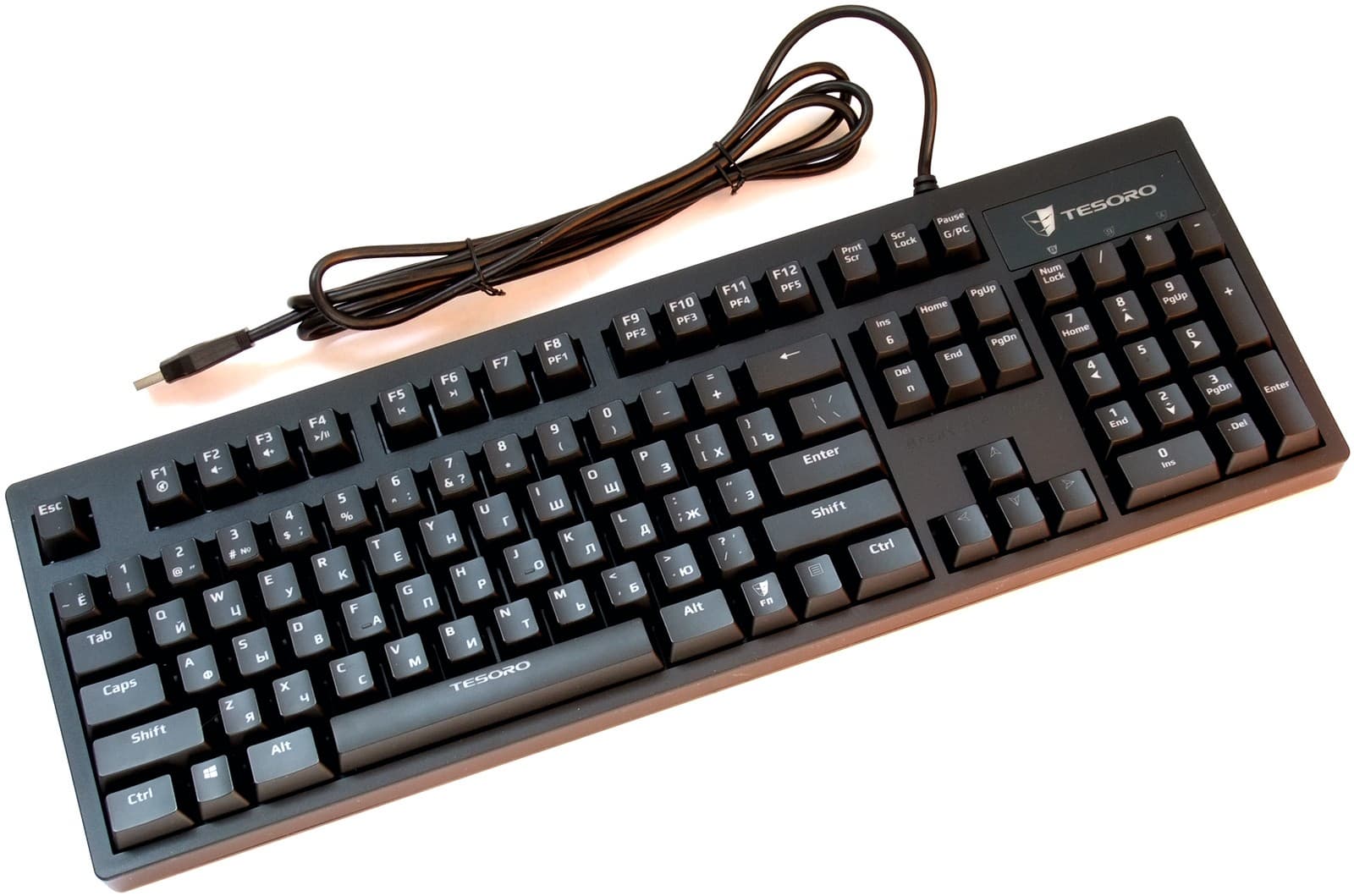
Its affiliation with Tesoro Technology products is evidenced by the company logo above the LED indicator block, which lights up when the backlight is activated, and the company motto “Break the Rules” above the cursor block, urging to break rules (presumably not traffic or game rules).
The Tesoro Tizona's stability is ensured by four small rubberized feet.
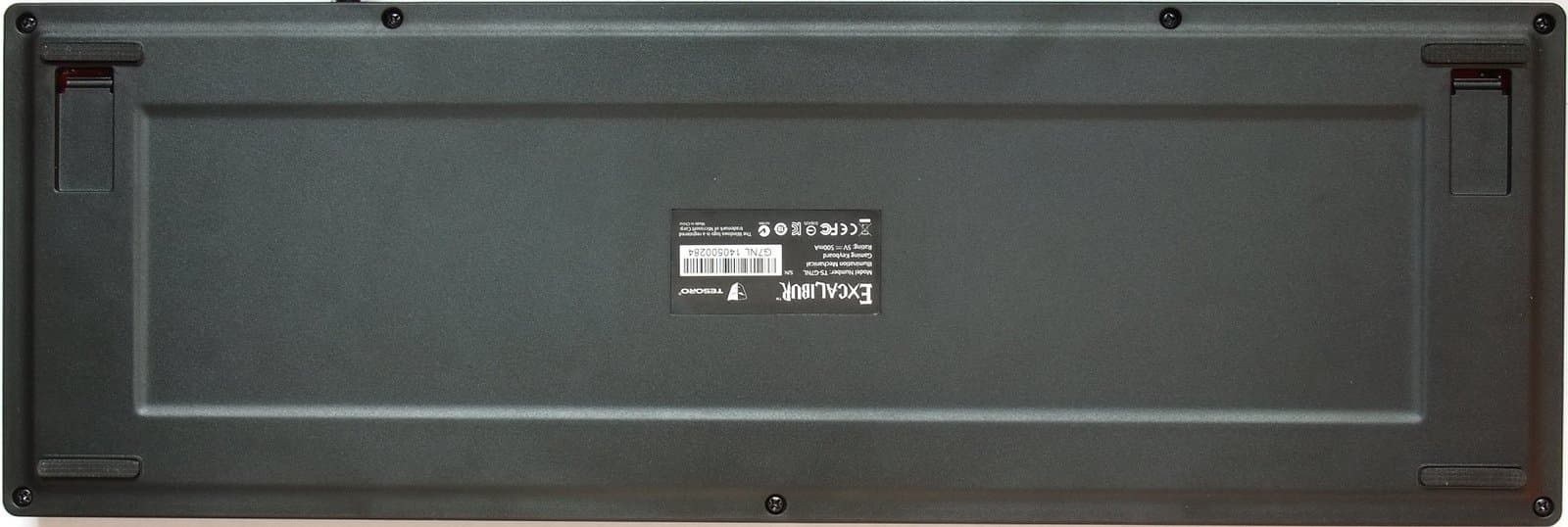
Unfortunately, the quality of the foot adhesive on the test unit is unacceptable; two feet came off almost immediately. Of course, it's easy to re-glue the feet, and moreover, similar issues have been observed with keyboards from reputable manufacturers, particularly the Logitech Illuminated, not to mention laptops, for which such a situation is generally common. However, the quality of the foot attachment on previous Tesoro Technology keyboards did not cause any complaints.
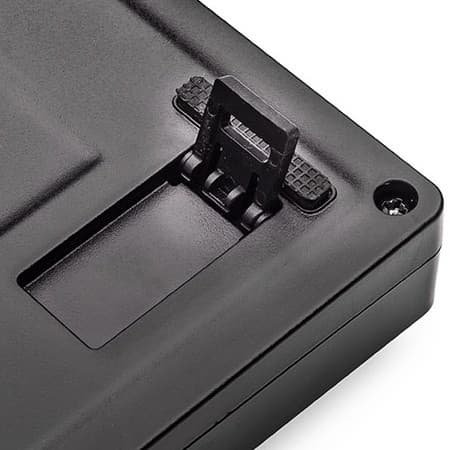
Rubberized inserts on the extendable stands, which increase the tilt angle, prevent scratches even in this usage scenario. Despite the keyboard arriving for testing in sealed factory packaging, it somehow lacked stands, so we are providing a photo from the manufacturer's website.
Blue LED indicators show Caps Lock and Scroll Lock activation; the Num Lock indicator's place is taken by a gaming mode indicator, which disables the Windows key and allows user profiles to be activated.
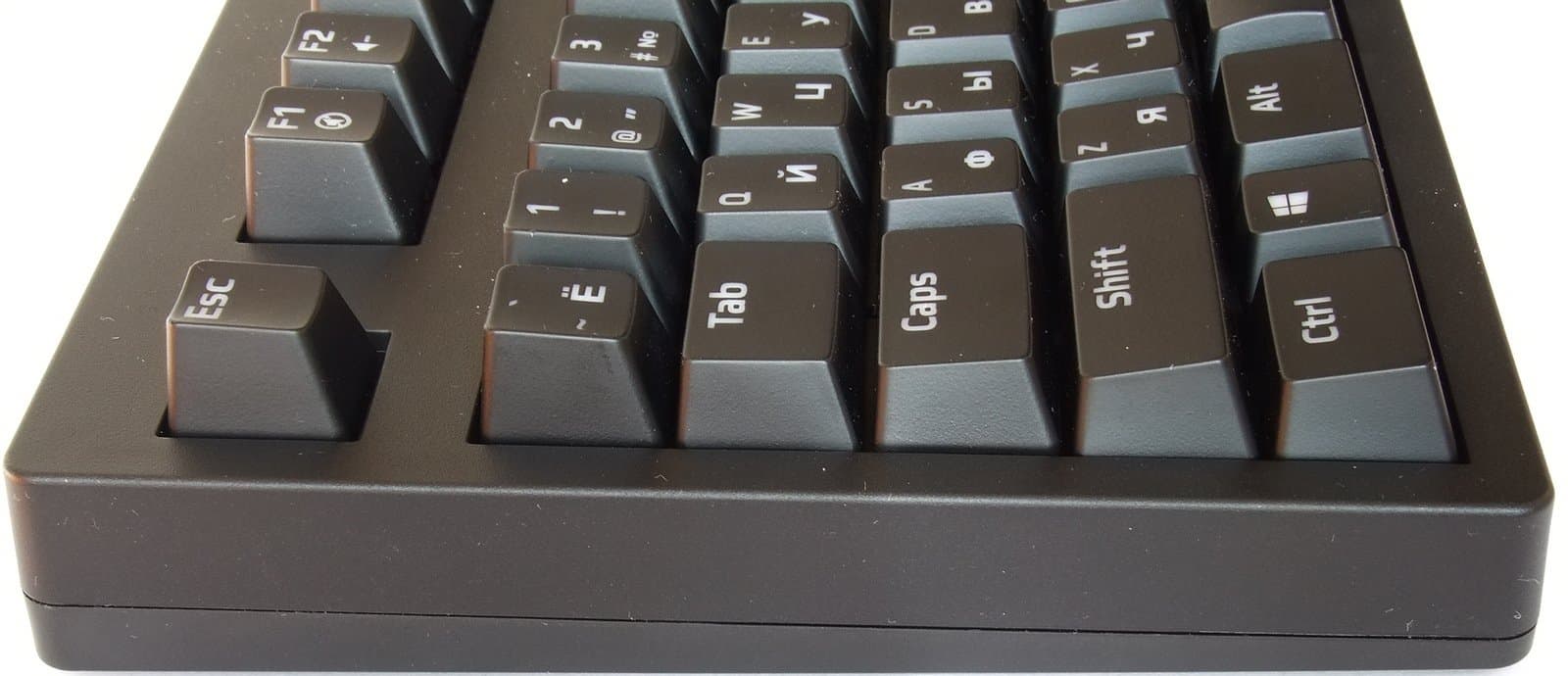
The keys and case are made of black smooth, but not glossy, plastic, resistant to scratches and fingerprints.
The keyboard is localized; traditionally for this class of devices, both rows of symbols have a white color when the backlight is off. Symbols of both language groups are laser-engraved on the keys. The fonts are of the same size for Latin and Cyrillic, comfortable, and character readability is good (backlight operation will be discussed below).
The Tesoro Excalibur has a typical ANSI layout for localized mechanical keyboards with long Shift keys and a narrow Enter key, which will surely suit most users except for the few adherents of the L-shaped “Enter”.
The declared multimedia keys denote combinations of the Fn key with F1 — F6 keys, controlling mute, volume, playback, and rewind; combinations of Fn and F8 to F12 keys switch user profiles, simultaneously activating gaming mode, and the Fn + Pause combination is for switching between gaming and normal modes.
Test Computer Configuration
- Intel Core i7-970 Processor
- Gigabyte X58A-UD3R (rev. 1.0) Motherboard
- Zotac GeForce GTX 980 Graphics Card
- 16 GB RAM (4×4096 DDR3 Samsung M378B5273DH0-CH9)
- Creative Sound Blaster X-Fi Titanium PCIe Sound Card
- 64 GB OCZ Vertex 4 SSD
- 256 GB Samsung 840 EVO SSD
- 512 GB OCZ Octane SSD
- 2 TB Toshiba Hard Drive (DT01ACA200)
- 2 TB Seagate Barracuda LP Hard Drive (ST32000542AS)
- 1 TB Seagate Barracuda 7200.12 Hard Drive (ST31000542AS)
- 1 TB Seagate Barracuda 7200.12 Hard Drive (ST31000542AS)
- 1 TB WD Caviar Blue Hard Drive (10EALX)
- ASUS DRW-24B1ST DVD ReWriter
- Operating Systems Windows XP Professional (SP3) RUS, Windows 7 Ultimate x64 RUS, and Windows 8.1 Pro x64 RUS.
Connection and Setup
Drivers and software version 1.0.0 were used during testing.
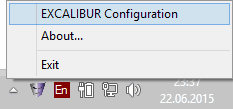
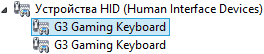
Tesoro Excalibur is detected as one standard HID (Human Interface Device) keyboard in 6-key rollover (6KRO) mode and as two standard HID (Human Interface Device) keyboards in N-key rollover (NKRO) mode. After driver installation, a pair of G3 Gaming Keyboards is added to the HID (Human Interface Device) section.
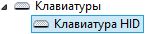
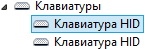
As with Tesoro Lobera Supreme, the driver publisher is G-SPY Co., Ltd. This name was found, in particular, in Razer mouse drivers, which suggests the same contract manufacturer.
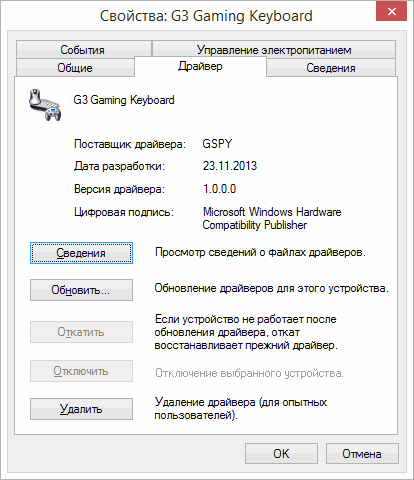
The program interface looks somewhat outdated, especially regarding the fonts of additional settings, whose sizes are at the limit of legibility even at 1920×1200.
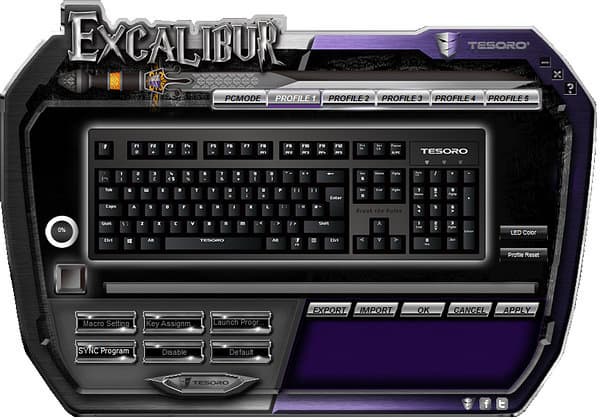
The “Led Color” button, which brings up the backlight color settings, is apparently intended for other models.
Any key, except F1 — F6 and F8 — F12, can be remapped.
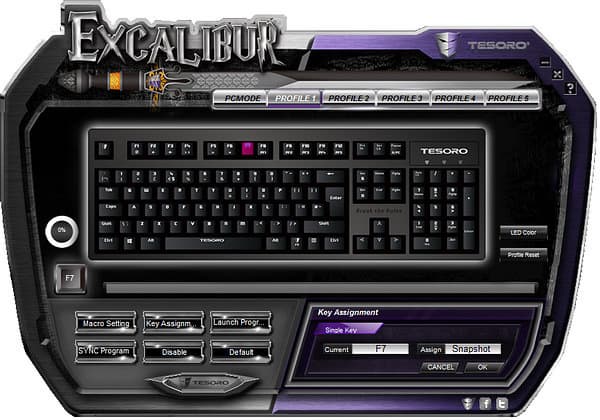
Any key can be assigned to launch an application (only files with the *.exe extension are supported).
User-defined combinations (macros) can be recorded.
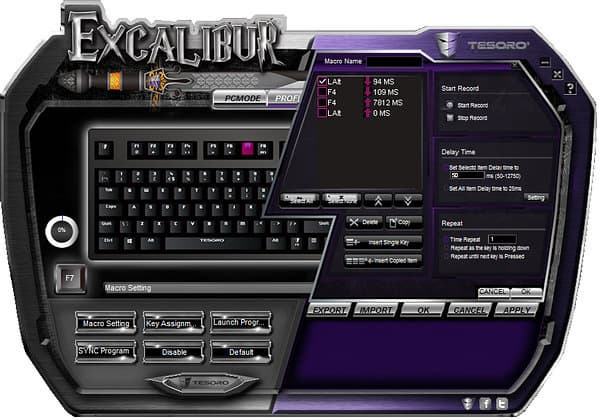
Recorded macros do not support mouse cursor positioning; the minimum delay between keystrokes is either selected within the range of 50 to 12750 ms, or set to 25 ms for all keystrokes.
In the Tesoro Lobera Supreme review, we already noted the manufacturer's strange stance on the Windows key, which in this case only works when gaming mode is disabled (PC MODE in the program settings). Tesoro Excalibur does not have direct recording functions, so to create macros like Win+keyboard key, connecting another keyboard is necessary.
Each profile can be linked to five applications (the link only works when the resident program HID.exe is running; launching the Config.exe application, which calls the graphical interface, is not mandatory); upon application completion, the linked profile remains active, and switching between active applications with different profiles works correctly.
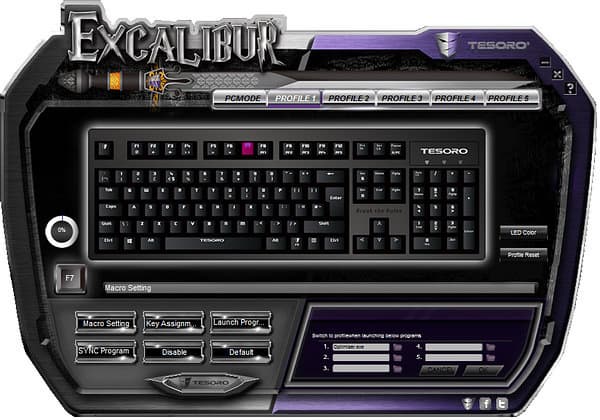
Linked applications can only be deleted by resetting the profile (Profile Reset button in the program interface).
Launching user applications can be assigned to any key, except F1 — F6 and F8 — F12 (also requires the HID.exe application to be running), which reduces the convenience of this function.
Saving settings to the keyboard's memory takes about 45 seconds.
Backlight
The blue backlight is adjusted by combining the Fn key with keys 2 and 8 of the right numeric keypad, which have corresponding markings.
The following modes are provided: backlight off, two brightness levels, pulsating mode when there is no user activity (pulsation frequency is not adjustable), and two zonal backlight modes (brightness corresponds to maximum), shown in the photos below.
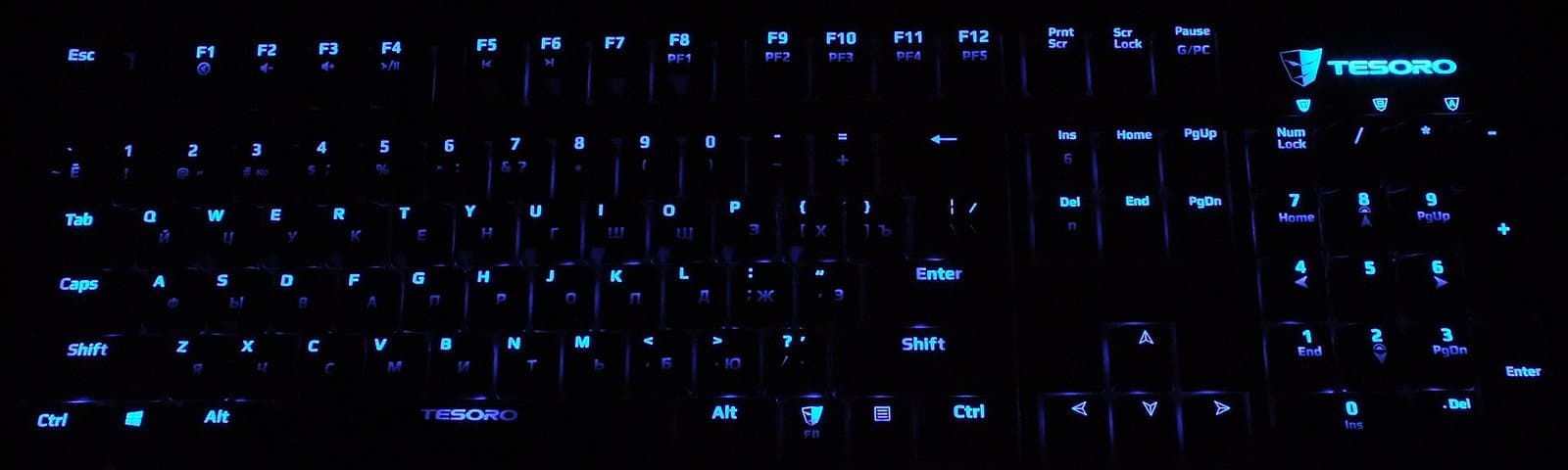
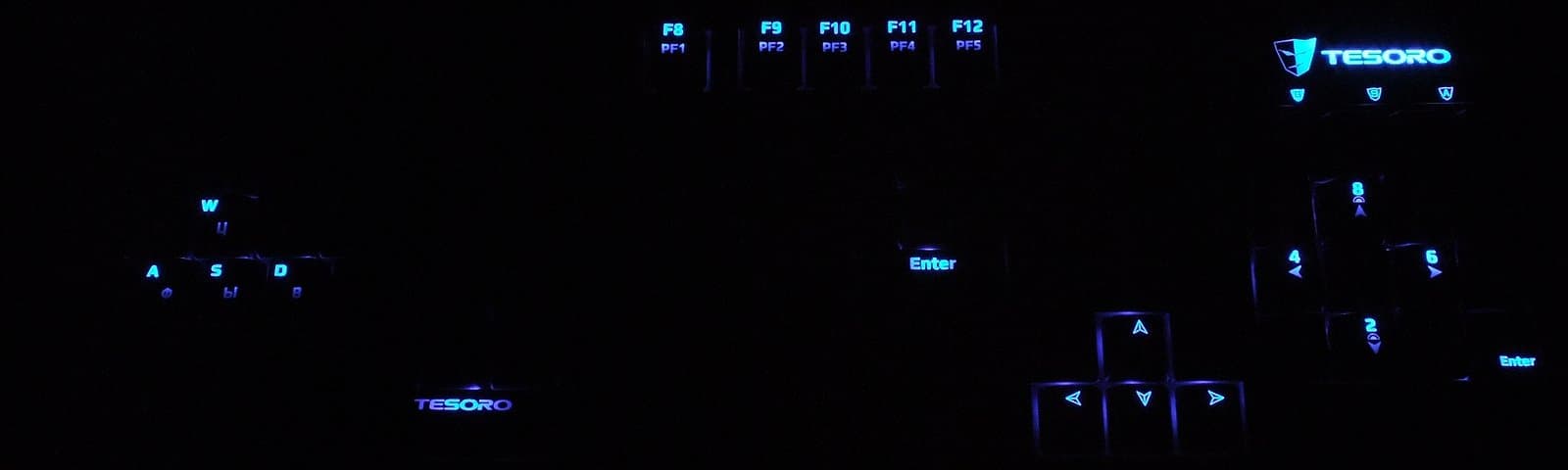
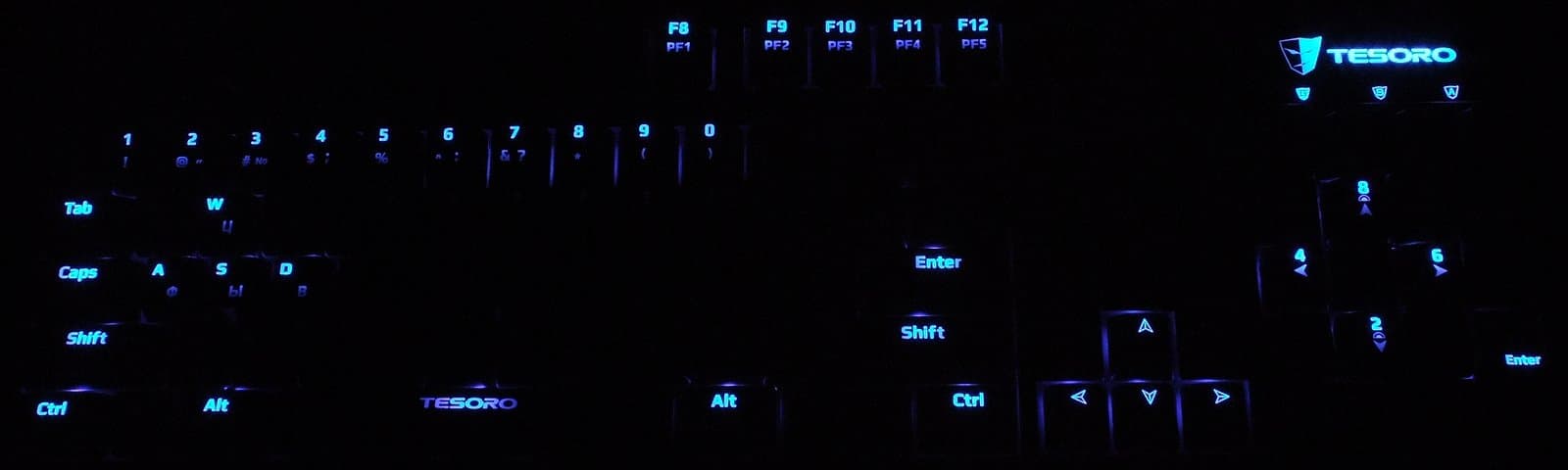
Despite the location of the LEDs in the upper part of the switches and the associated reduced brightness level of Cyrillic characters with some unevenness, the readability of Cyrillic with the backlight on is at a good level for the chosen color.
Backlight settings are saved after physical disconnection of the keyboard.
Simultaneous Key Presses
Switching between 6KRO and NKRO modes is done by combining the Fn key with the Ins and Del keys; the keyboard is reinitialized during switching.
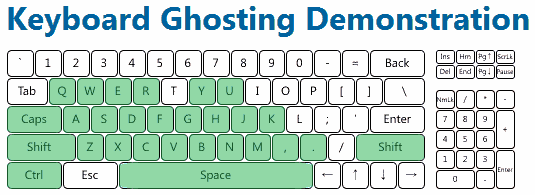
NKRO mode is correctly supported at a low level, allowing BIOS settings to be operated (!), which casts doubt on the expediency of using 6KRO.
Testing in games and in Microsoft Keyboard Ghosting Demonstration fully confirmed the keyboard's functionality in this mode.
Usage Impressions
Tesoro Excalibur demonstrates that rare case where a keyboard is equipped with mechanical switches from two different manufacturers: Cherry MX Blue switches from CHERRY Electrical Products and Kailh Brown with Kailh Red from Kaihua Electronics Co., Ltd. are chosen for localized modifications.
The test unit is equipped with “red” Kailh switches, and the box has a corresponding mark.
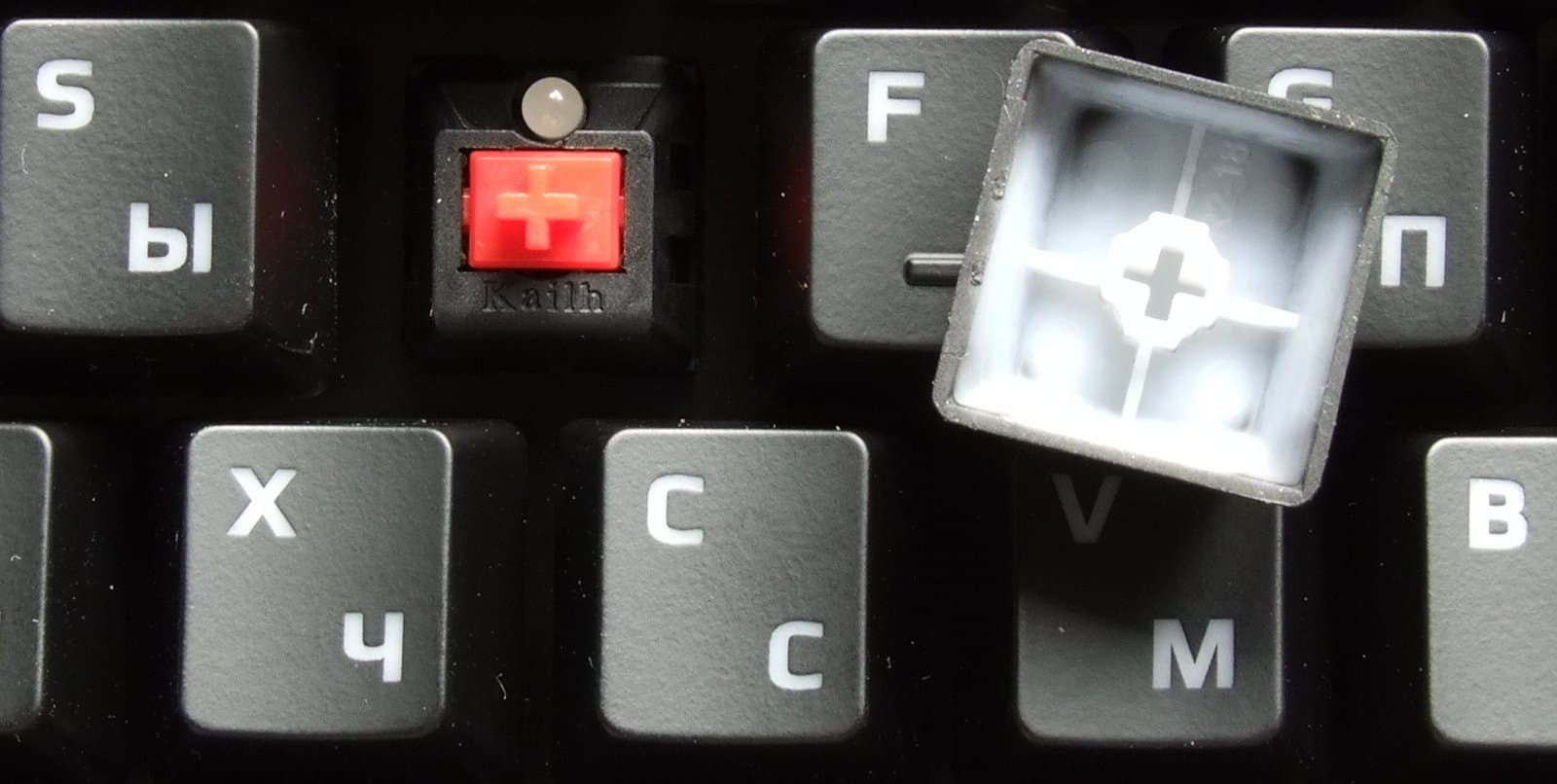
Kailh Red and similarly colored Cherry MX switches feature uniform actuation, an actuation force of 45g (55g peak), and an actuation depth of 2mm to actuation and 4mm to bottom out. Due to the absence of clicks and tactile feedback, they are considered most suitable for gaming applications.
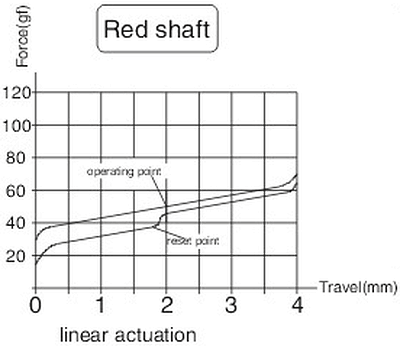
This variety has the minimum actuation force among mechanical switches, for which it is sometimes criticized as not entirely suitable for typing.
The author finds such design features comfortable; this text was entirely typed on the keyboard described herein, and the same applies to gaming scenarios.
Tesoro Excalibur does not have dampening pads, like the GAMDIAS Hermes, so when switching from any membrane keyboard, the increased noise level should be taken into account.
Tactile parameters also differ from membrane switches, so we traditionally recommend familiarizing yourself with the model in a store before purchasing, at least to check your own tactile and noise compatibility.
There is no indication of the selected profile, which may cause some inconvenience.
Working with Mobile Devices
The declared power consumption of Tesoro Lobera Supreme is 500 mA.
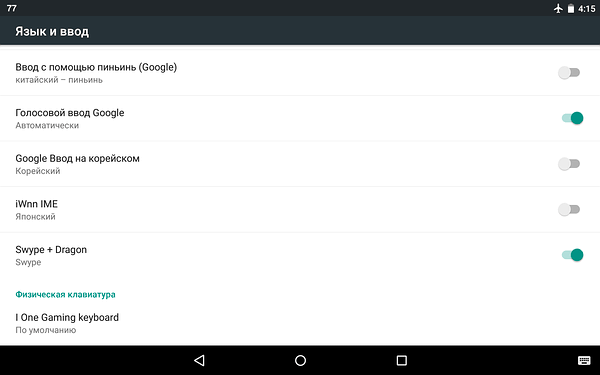
When connected to an ASUS Nexus 7 2013 tablet (Android version 5.1.1) via an OTG cable, the keyboard is detected as an I One Gaming Keyboard in 6KRO mode
and two I One Gaming Keyboards in NKRO mode,
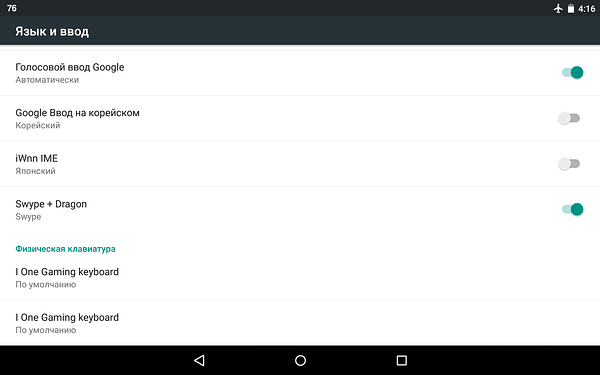
which suggests the use of the same components as in Tesoro Lobera Supreme.
No noticeable delays were found during such use.
Diagnosis
Among traditional mechanical keyboards with backlighting, the Tesoro Excalibur has few competitors, so this model will definitely find its buyers. We advise checking for the presence of stands and the quality of foot attachment when purchasing, and the manufacturer would do well to pay attention to build quality and refine the standard software.
The recommended retail price of the device for the domestic market at the time of preparing this material is 6390 rubles.
Pro:
- Classic appearance
- Backlight
- Mechanical switches with three modifications available on the domestic market
- 1000 Hz polling rate
- Built-in memory with user profile support
- Simultaneous processing of an unlimited number of keystrokes, including at a low level
Contra:
- Mediocre attachment of rubberized feet (possibly a feature of the test unit)
- Lack of selected profile indication
- Setting keyboard combinations with the Windows key only when another keyboard is connected
- Small fonts in the standard program interface
Never miss our newsAdd this site to your preferred sources to see us more oftenAdd on Google