Has Star Wars Jedi: Survivor on PC Been Fixed After 3 Years? Digital Foundry Tests and Recommendations
Recently, a Digital Foundry specialist decided to revisit the PC version of Star Wars Jedi: Survivor. At launch, the game suffered from stuttering, and even after patches that improved the situation, the problem of jerks and uneven camera and animation movement persisted, even though the graph showed "exactly 60 FPS":
In numbers, the frame rate may look "perfect", but in motion the game feels far from smooth. When you run through more open areas, the camera movement looks jerky and inconsistent, as if each frame shifts the camera a slightly different distance. The situation is aggravated by the fact that the weaker your processor, the more noticeable this visual instability becomes.
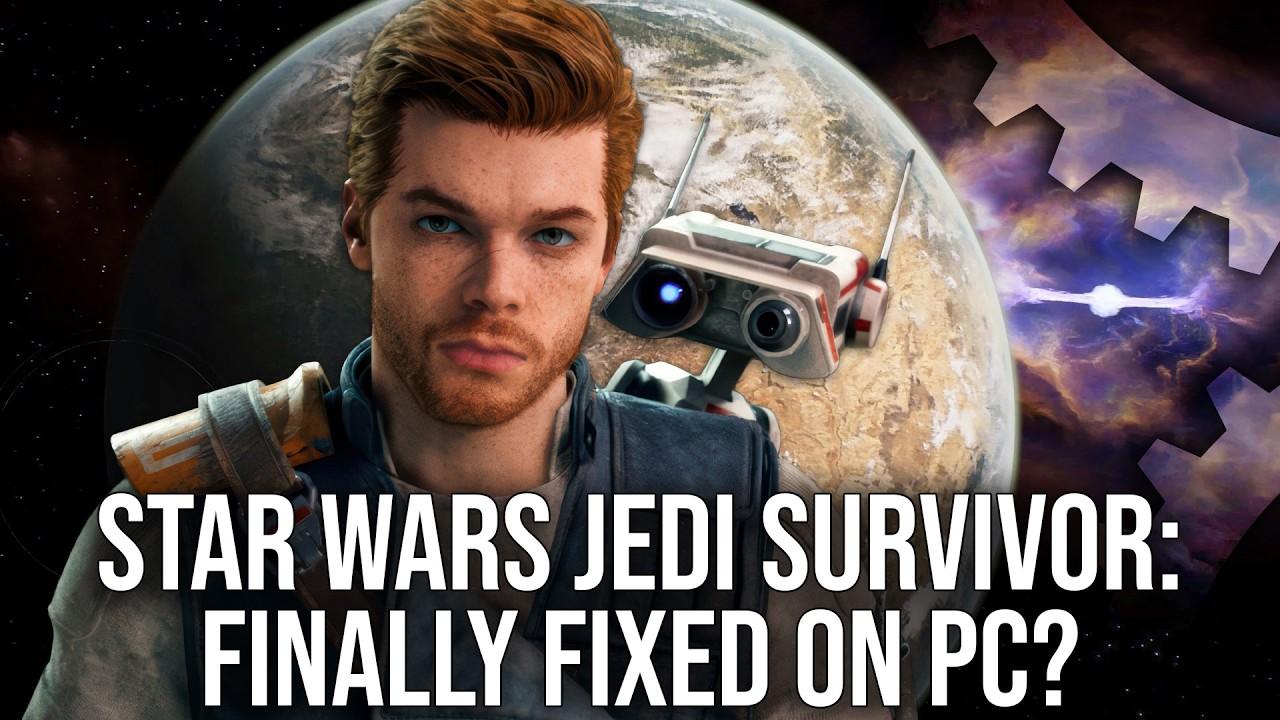
Digital Foundry notes that the frame update happens as it should, so some players simply don't notice it: "perhaps that's why there was such a polar spread of opinions [about performance] around the game."
The specialist talked about the Unreal Engine command to disable the UE5 denoiser ("noise reduction"), which allows DLSS to take over the processing — and thereby eliminate the problems of the new upscaler with ray tracing in games on the Unreal engine:
This is done using the Unreal Engine Unlocker from Franz Bouma. In addition to the standard functions, it allows you to unload all the console commands available in the game's executable file, and that's where I came across an interesting line: respawn.interpolated_rendering.
By default, this line is set to "0", and its description says that it enables interpolated rendering — two rendering frames for one game stream frame:
Activating this function seems to reduce the load on the game stream by about half, interpolating the position of the camera and animations for the frames displayed on the screen. Assuming this, it looks like a CPU optimization, probably designed for 60 FPS modes in console versions of the game. However, it also works on PC — and the results, I must say, are very interesting.
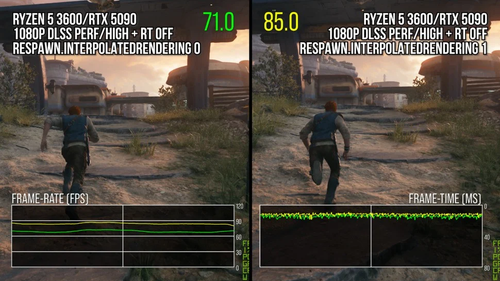
Testing on a Ryzen 5 3600 in conditions of limited processor resources, with reduced resolution and the use of high settings, showed an increase in performance by about 20% in resource-intensive areas of the game (from 70 to 84 FPS. On the more powerful Ryzen 7 9800X3D, the increase was slightly less — about 13%.
Digital Foundry also pointed out that the camera movement between frames becomes more even, significantly reducing "random" jerks. This doesn't fix all the problems, but the picture "looks much smoother."
However, this solution has a drawback — the delay increases:
Interpolated rendering increases the delay, because more displayed frames are actually "smoothed out", rather than directly determined by data about the player's latest actions and the current state of the game stream.
This solution will not affect the problem of stuttering during shader compilation, nor will it help to eliminate the known problems with ray tracing and interface operation — they are still present in the PC version.
Never miss our newsAdd this site to your preferred sources to see us more oftenAdd on Google